Set up your firm and team
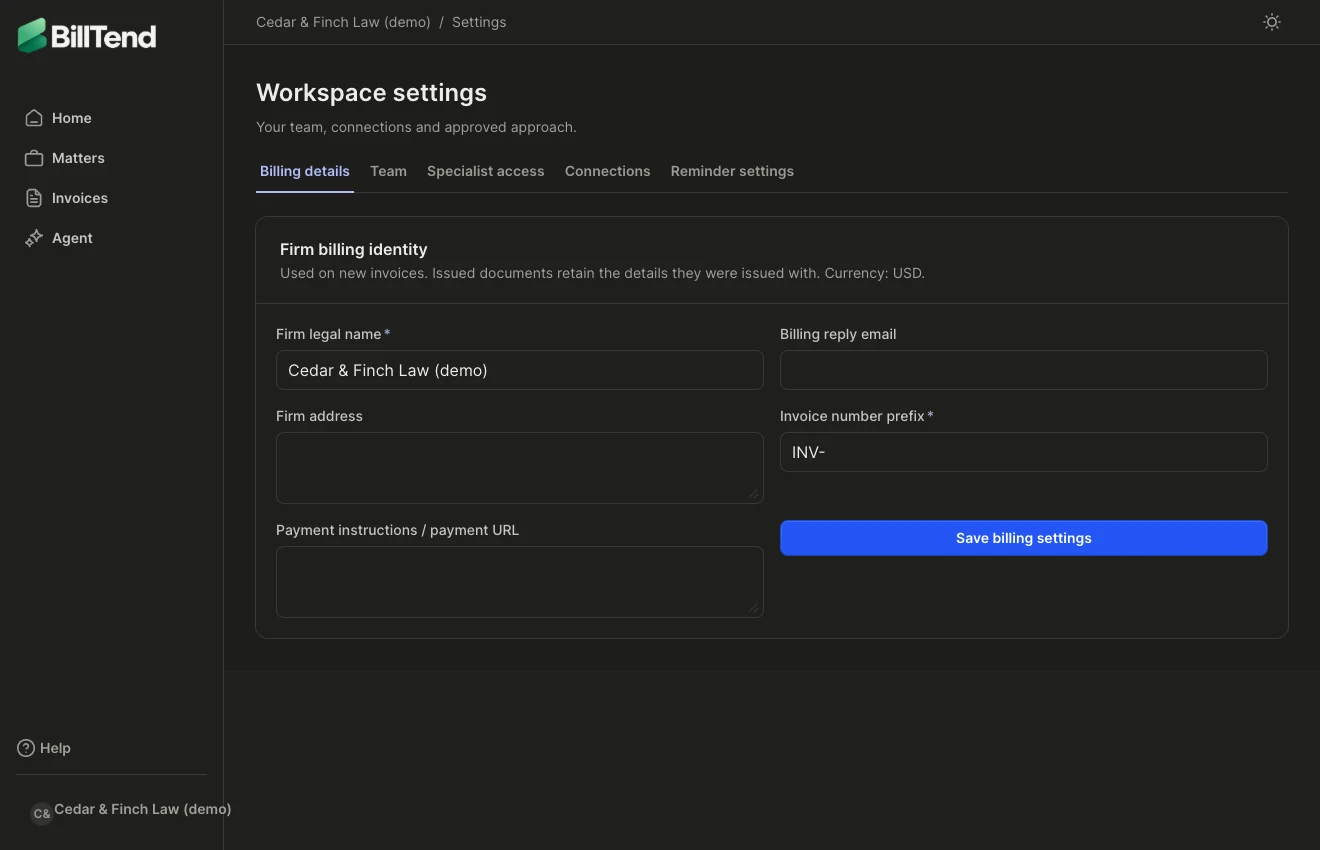
Open the firm menu and choose Settings. Verify that the firm shown is the one you intend to administer.
Firm billing identity
Section titled “Firm billing identity”Set the firm legal name, address, billing reply email, invoice number prefix, and payment instructions or payment URL. Clients see these details on new invoices. Previously issued documents retain the firm details saved when they were issued.
Invite a colleague
Section titled “Invite a colleague”- Under Invite a colleague, enter the intended work email.
- Choose the least access they need, then send the invitation.
- Check Pending invitations to confirm the invitation is present or cancel an unused link.
| Role | Can do |
|---|---|
| Viewer | Read firm records and reports. |
| Approver | Manage billing work and approve outreach within the firm’s enabled policy. |
| Admin | Manage the team, firm settings, connections, and billing work. |
Change or remove access
Section titled “Change or remove access”Open Firm members, choose the member’s access action, and review the change. Give a reason and confirm. Removing a member ends their firm access while preserving historical records. Review the invoices they own and reassign them where needed.
If the result is unconfirmed, use Check result or Retry saved request for the same change. See troubleshooting.