Draft, issue, and share invoices
Choose what to bill
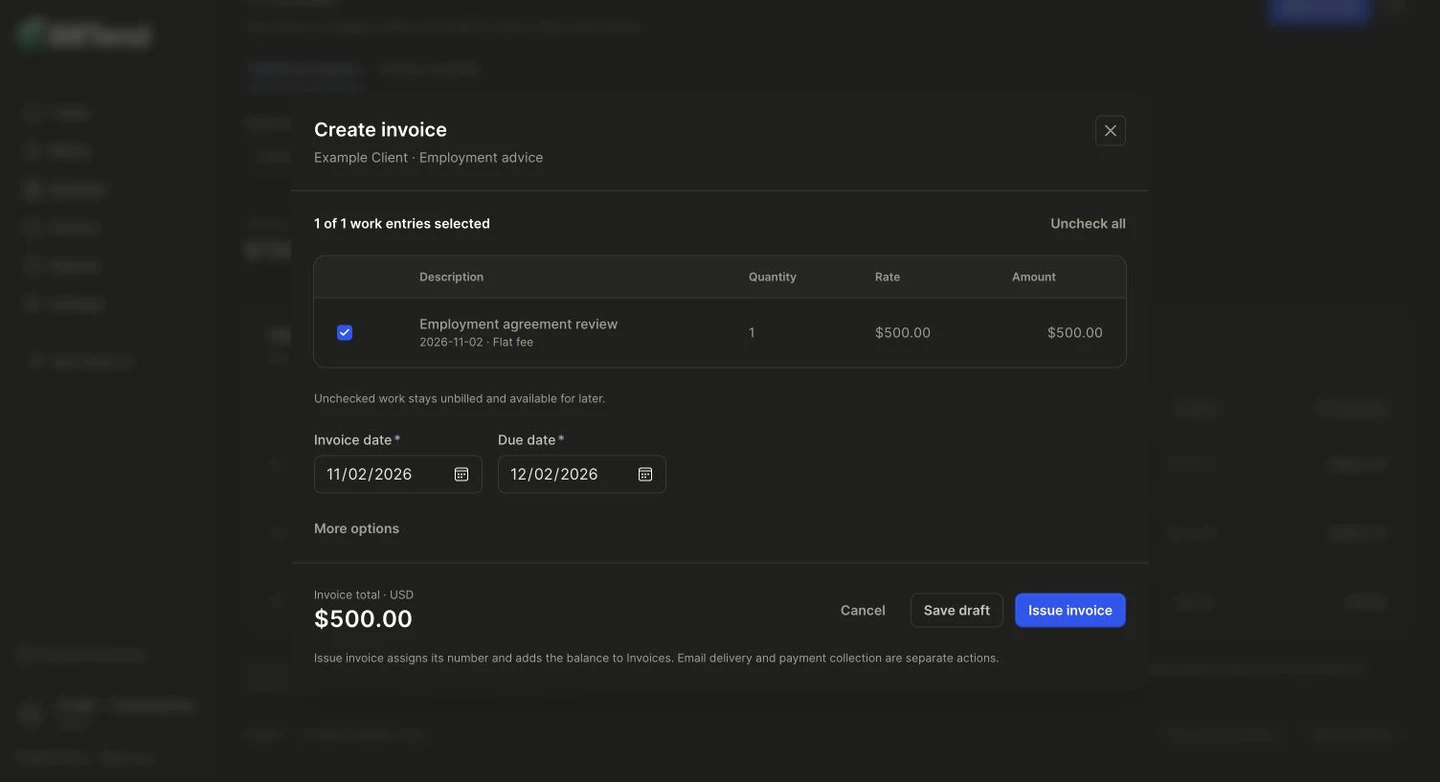
Section titled “Choose what to bill”Open Create invoice from Home or Invoices, or use + → Create invoice on a matter. Select the client and matter. Review saved work, add any missing charges, and select which lines belong on this invoice.
Review and issue
Section titled “Review and issue”- Verify the billing recipient, line descriptions, dates, subtotal, and total. Open More options to adjust the due date, discount, tax, or notes as needed.
- Use Save draft if you need more time. Reopen it from Invoices → Drafts. Selected work stays reserved until you issue or cancel the draft.
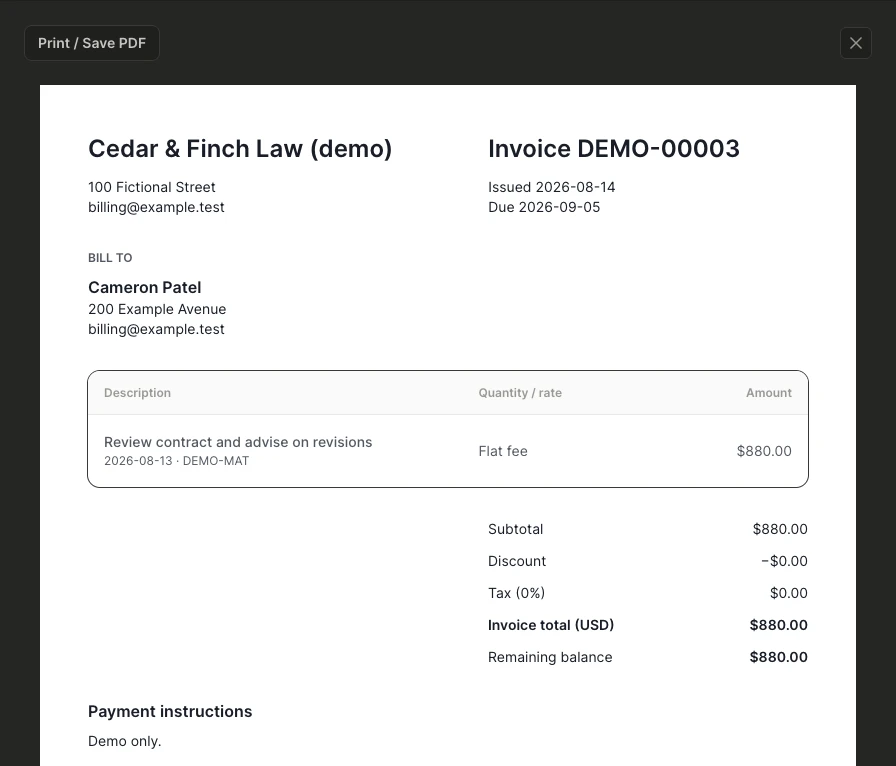
- When ready, select Issue invoice. BillTend assigns the invoice number and saves the issued document. It opens on screen for review.
Save the PDF or email the invoice
Section titled “Save the PDF or email the invoice”Use Print / Save PDF in the invoice document and select your browser’s PDF destination. Check the page size and preview before saving. The document can be reopened from the invoice later.
If your workspace has invoice email enabled, open Invoice email. Review the recipient, subject, and complete invoice text before approving. Replies to this message go to the firm’s billing address. PDF download is separate from this email workflow.
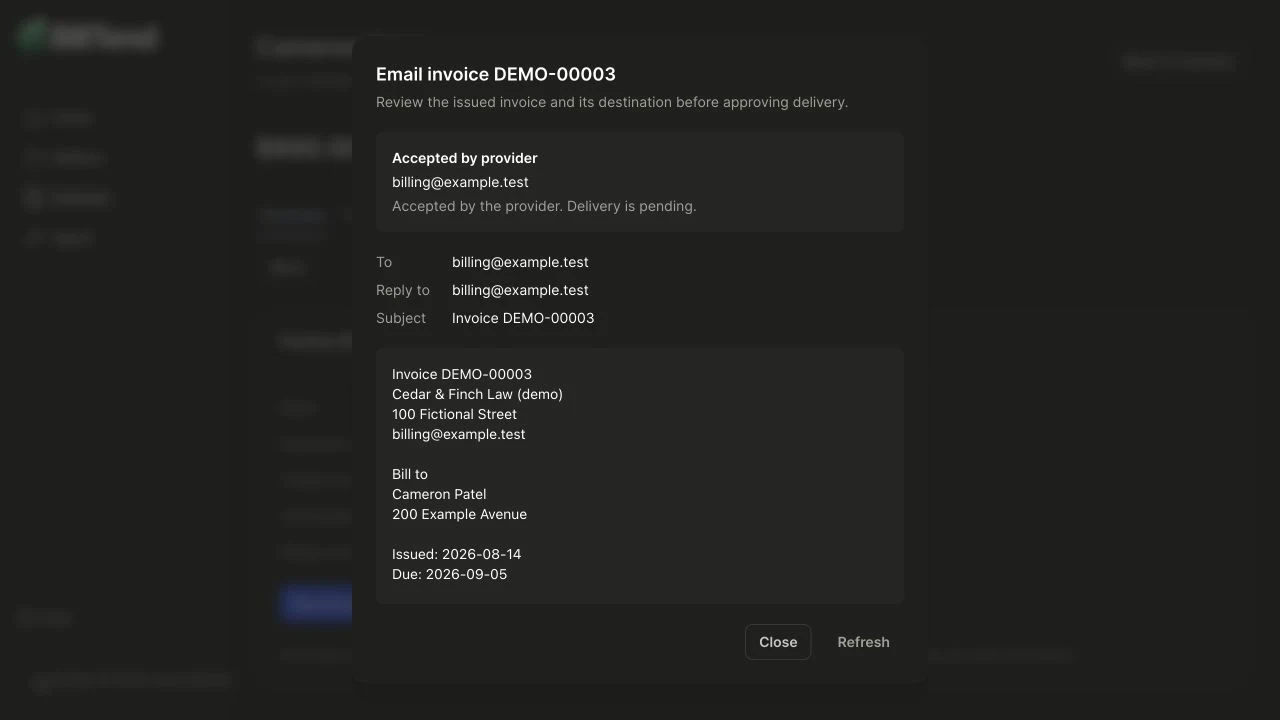
Issuing an invoice and approving email delivery are separate actions. See delivery statuses and recovery.